 Listen

 Download
Windows x64 Beta · free to use
Listen2Me
Speak your mind. Right where you are.
Click where you want to write, say what you want to say, and let Listen2Me do the typing. Free, private dictation with a local speech model or a server you choose.
Windows x64 · Download from GitHub
Features
Listen2Me features
Choose where speech is processed and how words reach your text field. From game chat to a longer AI prompt, keep the controls close and the typing out of the way.
- Private, offline transcription
- Push-to-talk, your shortcut
- Choose your model or server
- Custom phrases and presets
- Cancel before you send
- Preview and type while speaking
- Keep your words within reach
The app
Your words. In the right place.
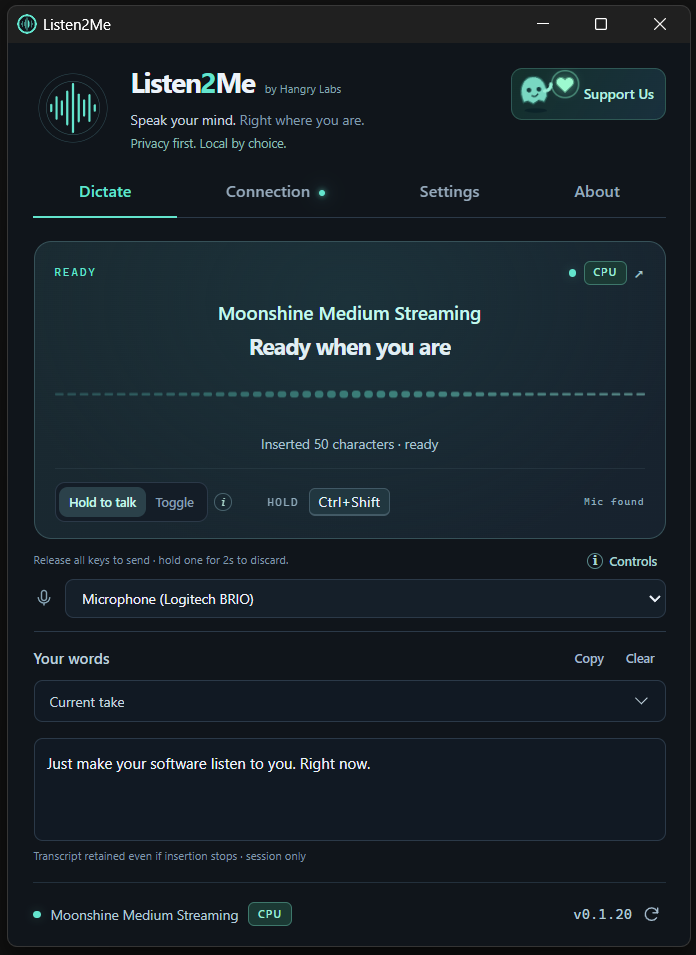
Click a text field, hold your shortcut and speak. Release to finish, or go hands-free and keep talking.
Local by choice
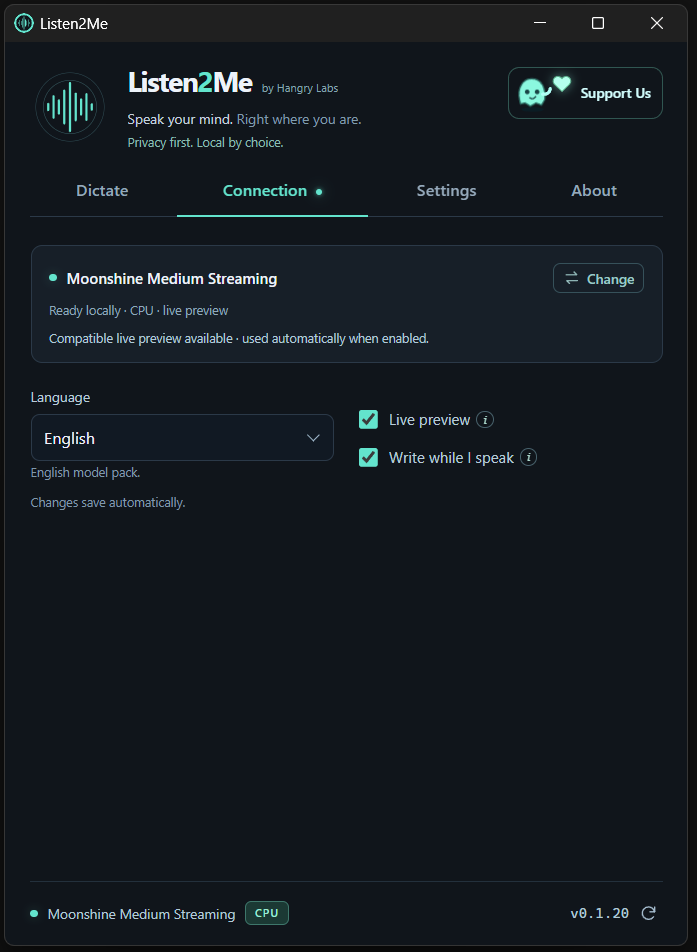
Download a speech model and run it on your PC, using your CPU or a compatible NVIDIA GPU. Supported models can transcribe as you speak.
Use your own server
Already have a speech-to-text server? Connect a compatible OpenAI-style API or Qwen ASR server. Your audio goes directly to the server you choose.
You stay in control
Hold a shortcut to talk, or switch to hands-free. The app checks for updates, but you decide when to install them.
From game chat to your next AI prompt.
Use it for game chats, messages and everyday tasks. Click a text field and say what you want to write.
Gaming, with less typing
Open your game’s chat box, say your message, then check and send it. Spend less time typing and more time playing.
Quicker replies, in your words
Reply to friends, draft an email, or jot down a thought. Say it out loud and let Listen2Me do the typing.
Talk to your AI assistant
Talk through an idea, explain a bug, or dictate a longer question to your AI assistant or coding agent.
Some games and text fields block automatic typing. Keep your text field selected and review the result before sending. Enter is sent automatically only if you enable a custom phrase for it.
Looking for text-to-speech?
Hangry Labs also makes local voice tools for turning written text into speech.
Explore local TTS toolsWhy I made it
I type a lot, and my hands were getting sore. I wanted something private, local and free, so I built Listen2Me. I hope it makes your day a little easier too.
Got an idea or found something annoying? Send feedback from the app. I’d love to hear how you use it.
Privacy
Your voice stays yours.
With a local model, your audio stays on your PC. If you connect to a server, audio is sent there instead. Listen2Me does not automatically send recordings or transcripts to Hangry Labs. Downloads, update checks and optional feedback use an internet connection.
Before you install
Ready for your Windows desktop.
You’ll need 64-bit Windows 10 (1809 or later) or Windows 11, a microphone, and Microsoft WebView2. Listen2Me installs without administrator rights.
Choose and download a speech model in the app, or connect to your own server. Once downloaded, local models work offline.
This is a beta release. The installer is self-signed, so Windows may show a publisher warning. Get your copy from the official download above.
Free to use under a proprietary licence.